
Database
Database integration with Cloudflare D1 (SQLite) and Drizzle ORM. Pre-configured for local development, migrations, and production deployment.
Key features
- SQLite database running on Cloudflare’s edge
- Type-safe queries with Drizzle ORM
- Automatic migration generation
- Visual database browser with Drizzle Studio
- Separate databases for production and preview
Database Commands
Section titled “Database Commands”bun run db:studio # Open visual database browserbun run db:generate # Generate migrations from schema changesbun run db:migrate # Apply migrations locallybun run db:seed # Seed database with sample databun run db:setup # Full setup (init + migrate + seed)Accessing the Database
Section titled “Accessing the Database”The database is available in route loaders and actions through the React Router context. Use context.get(dbContext) to access the Drizzle ORM instance:
import { dbContext } from "@/db/context"import { users } from "@/db/schema"
export async function loader({ context }: Route.LoaderArgs) {  const db = context.get(dbContext)  const allUsers = await db.select().from(users).all()  return { users: allUsers }}
The db object is a Drizzle ORM instance with full TypeScript support.
Schema Definition
Section titled “Schema Definition”Database schemas are defined in feature modules and automatically aggregated:
Directoryapps/
- user/db/schema.ts User tables
- permissions/db/schema.ts Permission tables
- payments/db/schema.ts Payment tables
Directorypackages/db/
- schema.ts Auto-generated exports
Directorymigrations/ Generated SQL migrations
- …
Example schema:
import { integer, sqliteTable, text } from "drizzle-orm/sqlite-core"
export const users = sqliteTable("users", {  id: integer("id").primaryKey(),  email: text("email").notNull(),})
Adding a New Table
Section titled “Adding a New Table”-
Create or update a schema file in your feature’s
db/folder:apps/blog/db/schema.ts import { integer, sqliteTable, text } from "drizzle-orm/sqlite-core"export const posts = sqliteTable("posts", {id: integer("id").primaryKey(),title: text("title").notNull(),content: text("content"),}) -
Generate a migration:
Terminal window bun run db:generate -
Apply the migration locally:
Terminal window bun run db:migrate
The migration is automatically applied in CI/CD when you push your changes.
Drizzle Studio
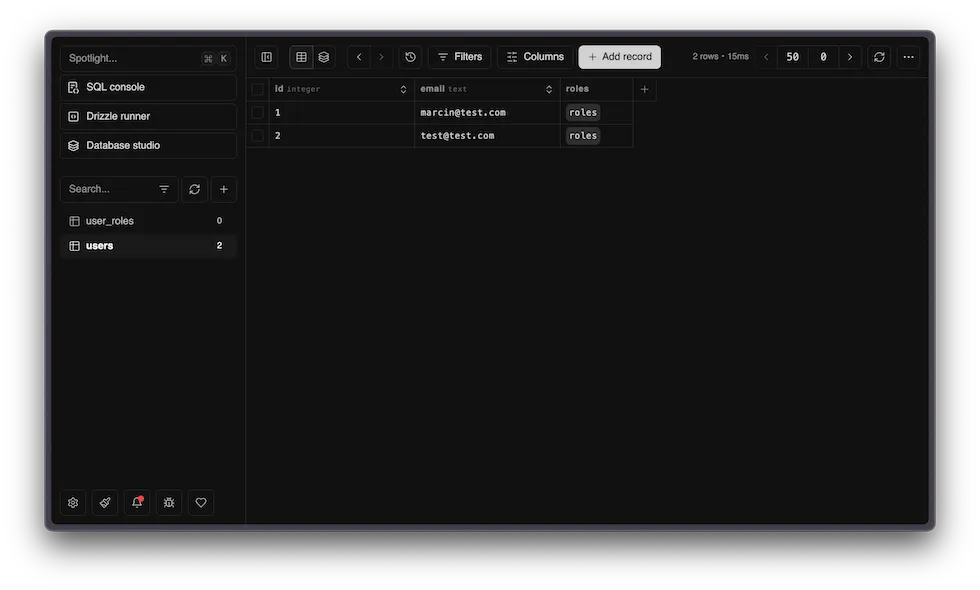
Section titled “Drizzle Studio”Browse and edit your database visually:
bun run db:studioOpens at local.drizzle.studio where you can:
- View all tables and their data
- Run queries
- Edit records directly
- Explore relationships
Seeding
Section titled “Seeding”Add test data to your database by editing the seed script:
import { users } from "../schema"import { getLocalOrRemoteDb } from "../utils"
async function main() {  const db = getLocalOrRemoteDb()  console.log("🌱 Seeding database...")
  await db.insert(users).values({ email: "test@example.com" })
  console.log("✅ Seeding complete!")}
main()
Run it locally:
bun run db:seed